
If you purchased any edition of NIUBI Partition Editor version 10, simply download and install the latest version. Your existing license will be recognized and activated automatically.
Important: License keys issued for versions earlier than 10 are not compatible with the new activation system. After installing the latest version, the program will appear as unregistered until you activate it with a new license key. Your existing license remains valid for the version you previously purchased. Please review the following options before upgrading:
- If you purchased the Technician Edition, an edition with Lifetime Free Upgrade, or an edition with 1 or 2 years of free upgrades that covers the latest release, please contact us to request a new license key free of charge.
- If your license is not eligible for a free upgrade, you can purchase a new license at a 20% discount or upgrade to an edition with Lifetime Free Upgrade by paying the applicable price difference.
- If you do not wish to pay for an upgrade, you can continue using the version covered by your existing license at no additional cost. If your license covers version 9, you can contact us to request its download link.
Please note: For any of the above options, you will need to provide a valid order ID or the email address used when placing your order.
To prevent unauthorized use, we introduced a new activation system starting with version 10. Automatically sending new license keys to a large number of customers using earlier versions could trigger spam filters and potentially result in restrictions on our email account. Therefore, we provide replacement license keys upon request rather than sending them in bulk. We apologize for any inconvenience and appreciate your understanding.
FAQ
The Free Edition can modify real disk partitions, but it is limited to non-commercial use on home Windows PCs and does not include Bootable Media Builder or 1-Second Rollback.
The trial versions allow you to preview operations in Virtual Mode, but cannot apply changes to real disk partitions. After purchasing a license, you can activate the trial version and continue with the pending operations without reinstalling the software or repeating the steps.
Note: Neither the Free Edition nor the Professional Edition supports Windows Server.
You can activate the trial version to the full version without downloading another setup file. Simply click "Activate" on the top toolbar and enter your license key. You'll find your license key on the order confirmation page and in your confirmation email.
If you are using the Free Edition, please download the trial version of the purchased edition from https://www.hdd-tool.com/download.html first.
Yes, we offer a 100% money-back guarantee for 90 days from the date of purchase. If you encounter any problems or error messages, please describe the issue and provide screenshots if possible. If our product cannot resolve the issue, we'll issue a full refund promptly.
No mandatory maintenance fees are required. We provide free email and live chat support. If you encounter a technical issue, we also offer free remote support. To contact us, please visit https://www.hdd-tool.com/contact.html
All paid editions come with perpetual licenses, so you can continue using your licensed version even after the free upgrade period ends.
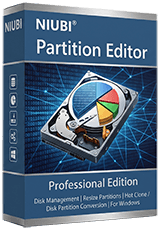
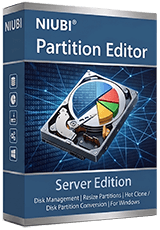
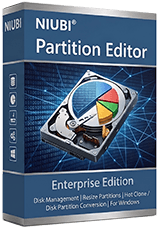
The standard Professional, Server, and Enterprise Editions include free upgrades to new versions released within one year of purchase. Editions with 2-year upgrades include free upgrades for two years.
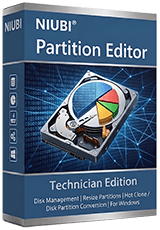
The Technician Edition and other editions with Lifetime Upgrade include free upgrades to all future versions.
If you need to upgrade to a higher edition, you can do so by paying the price difference. For more details, please visit https://www.hdd-tool.com/upgrade.html
No. Unlike read-only software, disk partition management software makes changes directly to disk structures. Therefore, our trial versions allow you to preview operations but do not execute actual changes.
You can use the Free Edition to perform real disk partition operations on Windows PCs, or watch our video guides to see how the full versions work. We also offer a 90-day, 100% money-back guarantee if our product cannot resolve your issue.
 © 2009 - NIUBI Technology All Rights Reserved. |